
Aurélia AI Sales Automation
Aurélia is an artificial intelligence platform designed to automate LinkedIn prospecting and email outreach. It combines a knowledge-driven personalization engine with autonomous AI agents Strategist and Inspector to maximize conversion rates through hyper-personalized “One-to-One” campaigns.
Quick Start — 6 Steps
Get up and running with Aurélia in minutes. Follow these six steps in order for the best onboarding experience.
Download the Aurélia Desktop app and add the browser extension. Connect your LinkedIn account.
Configure your tone, value proposition, and messaging templates to reflect your brand’s personality.
Set targeting criteria (industry, company size, role) and let Aurélia extract and qualify prospects.
AI generates hyper-personalized emails for each prospect using their unique profile context.
Monitor open rates, replies, and conversions in real-time from the Dashboard.
Restart your campaign to unlock the Strategist & Inspector agents for autonomous optimization.
Global Aurélia Architecture
The Aurélia platform is built around three main pillars that orchestrate seamless intelligent outbound prospecting:
- Targeting & Extraction: LinkedIn-native prospect discovery via Sales Navigator extension.
- Personalization Engine: AI-driven One-to-One message generation with voice configuration and template selection.
- Optimization Loop: Autonomous Strategist and Inspector agents that learn and refine each send cycle.
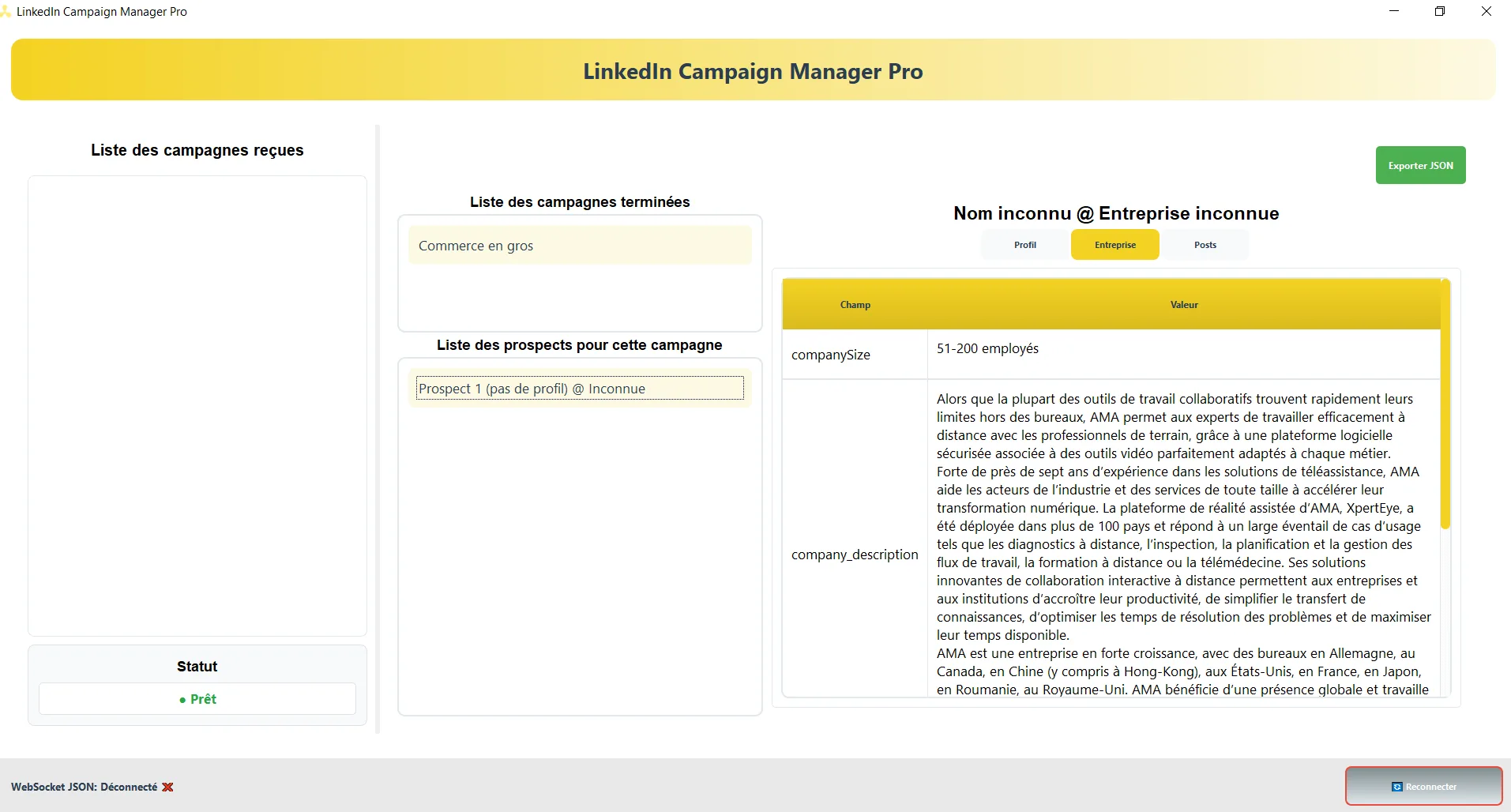
Installation and Login
Integrating Aurélia into your sales workflow requires two simple components working in tandem:
Desktop Application
Download and install the Aurélia Desktop application from the official portal. The app serves as the central hub for campaign management, dashboard access, and agent configuration.
Browser Extension
Add the Aurélia Sales Navigator extension to your browser. This extension connects Aurélia directly to LinkedIn, enabling prospect extraction and automated interactions without leaving your workflow.
Sales Voice with Your AI Identity
The Sales Voice is the personality layer that guides how Aurélia’s AI writes every message. It ensures all generated content reflects your brand’s tone, positioning, and commercial objectives.
Configuration Parameters
Tone & Style
Define whether your approach is consultative, direct, warm, or authoritative. The AI adapts every sentence to match.
Value Proposition
Enter the core benefit you deliver to clients. Aurélia weaves this into each personalized message contextually.
Message Templates
Select or create templates that structure how the AI composes subject lines and email body content for each recipient.
Campaign Engine
The Campaign Engine is the targeting and orchestration system that identifies, qualifies, and prepares your prospect list for AI-driven outreach.
Targeting & Extraction
Start by launching a blank campaign. Then configure your targeting criteria to let Aurélia perform optimal prospect filtering:
- Industry: Filter by sector to ensure prospect relevance.
- Company Size: Target companies by employee count or revenue band.
- Job Title & Role: Narrow by decision-maker level or function.
- Geography: Restrict outreach to specific markets or regions.
One-to-One AI Approach
The One-to-One approach is Aurélia’s core differentiator. Rather than sending bulk templates, the AI generates a completely unique email for each prospect, adapting tone, references, and calls-to-action to their individual context.
Generation Process
- Profile Analysis: Aurélia reads the prospect’s LinkedIn profile, role, company, and recent activity.
- Context Synthesis: Relevant signals are extracted and matched against your Value Proposition.
- Content Generation: The AI composes a personalized subject line and email body using your chosen template.
- Compliance Check: Messages are validated for opt-in compliance before dispatch.
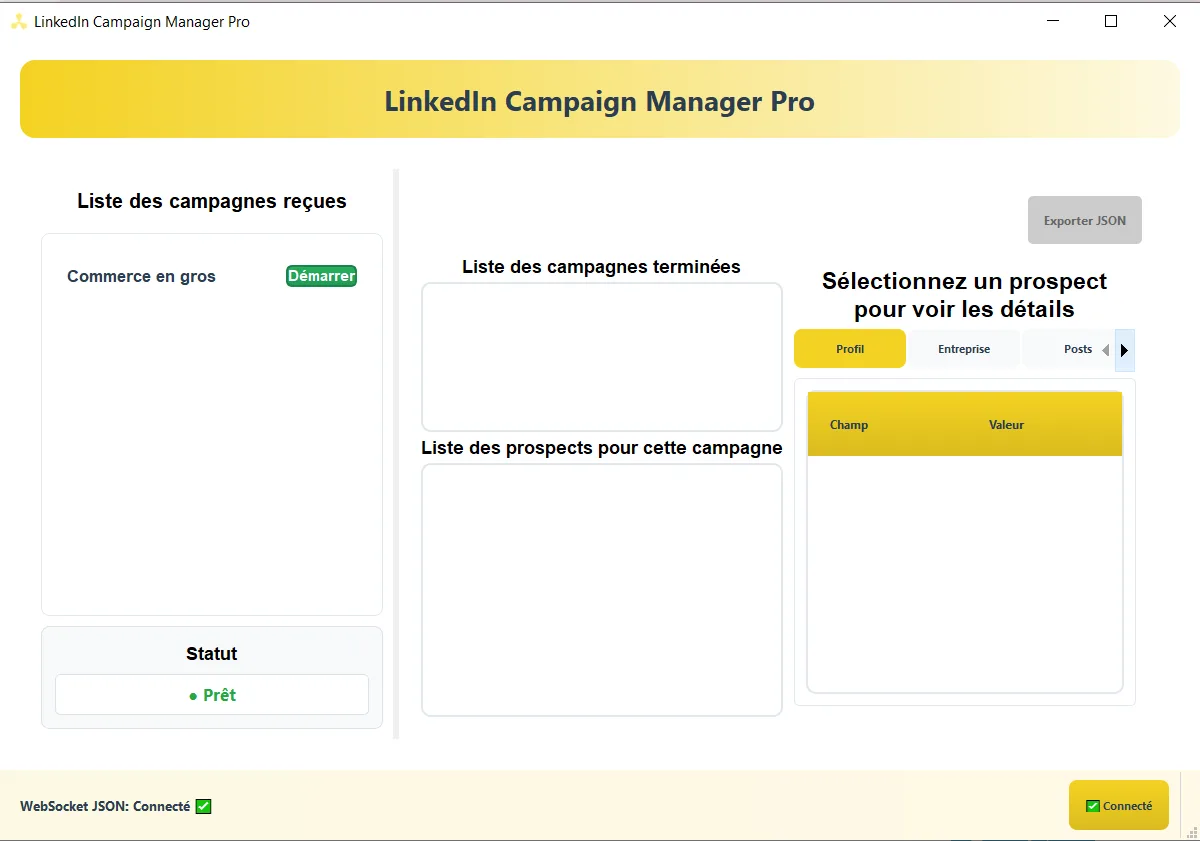
Compliance & Privacy
All One-to-One outreach is processed to ensure total compliance without opt-in requirements, respecting applicable regulations across markets.
Real-Time Performance Dashboard
Track and analyze the performance indicators of your outbound campaigns in real-time from the Dashboard menu.
Open Rate
Monitor email open rates per campaign and per prospect segment to identify top-performing approaches.
Reply Rate
Track positive and negative responses to measure message resonance across different audiences.
Conversion Tracking
Follow prospects through the pipeline from first contact to meeting booked or deal initiated.
Campaign Timeline
Visualize send schedules, follow-up sequences, and campaign progression over time.
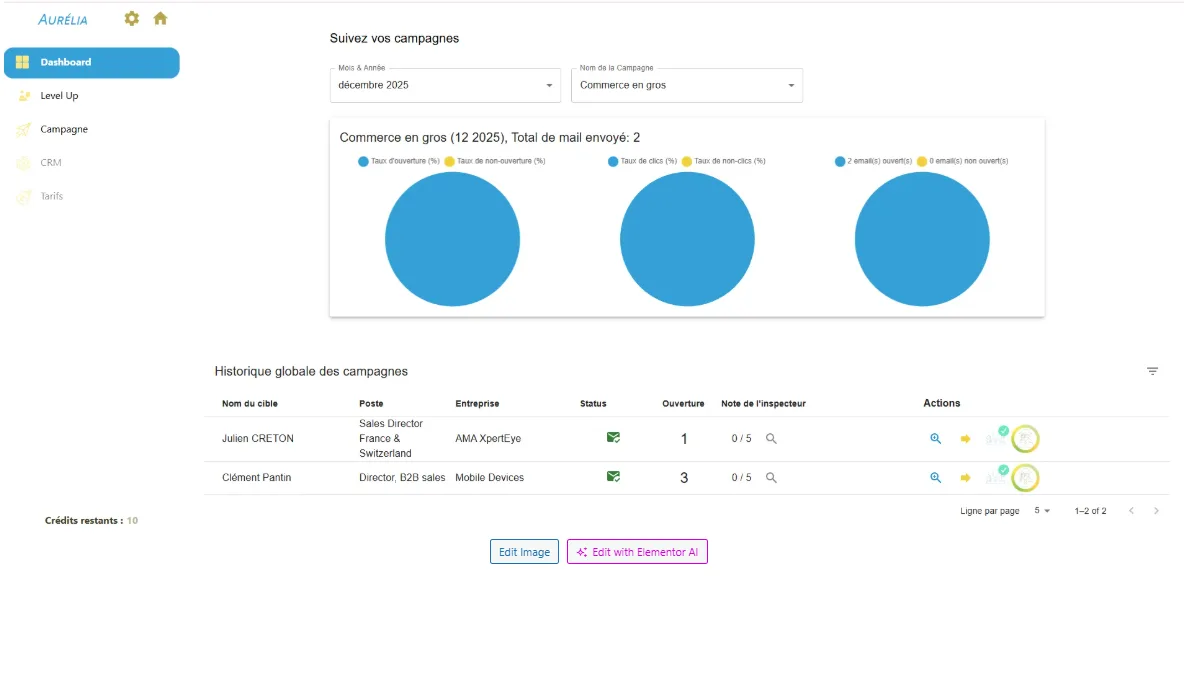
Strategist & Inspector Agents
Dual Intelligence System
To activate the Strategist and Inspector, restart your campaign after reviewing your initial send results. The second send will then benefit from autonomous dual-agent intelligence that learns, corrects, and optimizes in real time.
Strategic Learning Agent
The Strategist analyzes your campaign’s initial results and autonomously adjusts future sends. It identifies patterns in what resonated (or didn’t) and reconfigures targeting parameters, messaging emphasis, and sequencing for optimal alignment with your audience.
- Data Corrections: Adjusts prospect qualification criteria based on response patterns.
- Messaging Refinement: Fine-tunes subject lines and content angles that drove engagement.
- Continuous Learning: Improves autonomously with each campaign cycle without manual input.
Quality Assurance Agent
Before each email is sent, the Inspector reviews and corrects the AI-generated content to maximize relevance and engagement. Operating in either automatic or manual mode, it acts as a final quality gate.
- Automatic Mode: The Inspector silently validates and corrects messages before dispatch.
- Manual Mode: Review Inspector suggestions and approve or modify each message individually.
- Compliance Gate: Ensures every message passes final legal and quality standards.
Key Advantages
True Personalization
Every message is unique, no merge tags, no bulk blasting. Each prospect receives content written specifically for them.
Autonomous Optimization
The Strategist-Inspector loop removes manual A/B testing overhead by learning and improving automatically.
Rapid Time-to-Value
From installation to first personalized send in under 30 minutes, no complex setup or technical expertise required.
Full Compliance
Built-in compliance validation ensures all outreach meets regulatory requirements across markets without manual review.